Magento: It says 'Extension dependencies' when installing the JMango360 plugin
Issue
When installing the JMango360 plugin in Magento Connect Manager, the installation process fails and you get an error message 'Extension dependencies'.
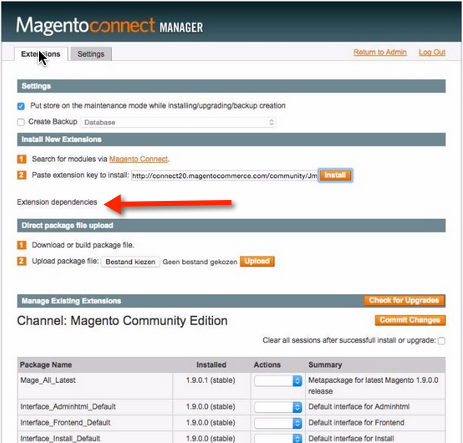
Cause
This issue may happen because:
- The Magento version is incompatible with the JMango360 plugin. JMango360 only supports Magento Community Edition 1.7 and higher.
- Magento API2 is disabled and/or PHP version is lower than 5.2.0.
Solution
Be sure that the version of your Magento site are compatible with JMango360 plugin. Also make sure that Magento API2 module is enabled and PHP version is higher than 5.2.0.
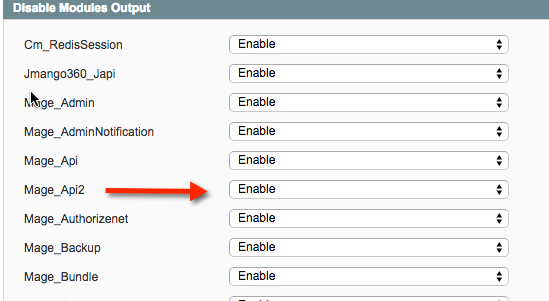
- Magento API2 module: Go to System > Configuration. Under Advanced menu, select Advanced then enable the Mage_Api2 module.
- PHP version: Please follow this instruction to check the PHP version of your website.
If both the conditions are met, please try installing the JMango360 plugin another time.